AI for Animation
AI for Animation: Revolutionizing the Art of Storytelling
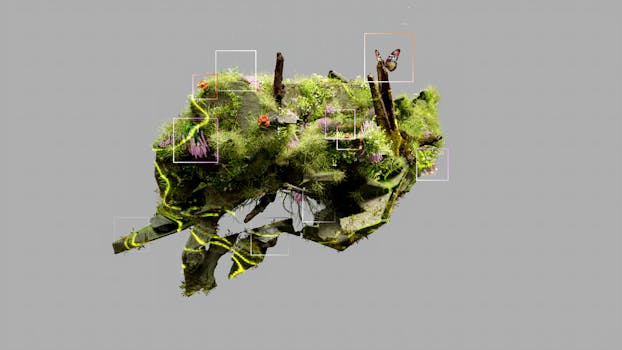
Animation has always been a magical medium, bringing characters and stories to life through creativity and craftsmanship. But with the advent of Artificial Intelligence (AI), the animation industry is undergoing a transformative shift. AI is not here to replace animators; instead, it’s empowering them with tools that streamline workflows, enhance creativity, and open up new possibilities. Whether you’re a seasoned animator or a beginner, AI tools are making animation more accessible and efficient than ever before.
In this blog post, we’ll explore how AI is reshaping the animation landscape and introduce you to five free AI tools that can elevate your animation projects. Let’s dive in!
How AI is Changing Animation
AI is revolutionizing animation in several ways:
- Automating Repetitive Tasks: AI can handle time-consuming tasks like in-betweening, coloring, and lip-syncing, freeing up animators to focus on creative aspects.
- Enhancing Realism: AI-powered tools can generate lifelike movements, textures, and environments, making animations more immersive.
- Personalization: AI algorithms can analyze viewer preferences to create tailored animated content.
- Accessibility: Free and user-friendly AI tools are democratizing animation, allowing anyone to create professional-quality work without a massive budget.
Now, let’s explore five free AI tools that are making waves in the animation world.
5 Free AI Tools for Animation
1. Runway ML
Description: Runway ML is a creative toolkit that uses AI to simplify complex animation tasks. It’s designed for artists, designers, and animators who want to experiment with machine learning without coding.
Features:
- Style Transfer: Apply artistic styles to your animations.
- Super Slow Motion: Generate smooth slow-motion effects from standard footage.
- Background Removal: Easily remove backgrounds for clean compositing.
Pros: - User-friendly interface.
- No coding required.
- Versatile applications for animation and video.
Cons: - Limited free tier; advanced features require a subscription.
- Processing times can be slow for large files.
2. DeepAnimation
Description: DeepAnimation is an AI-powered platform that specializes in character animation. It uses machine learning to generate natural movements and expressions.
Features:
- Auto Rigging: Automatically rig characters for animation.
- Motion Capture: Generate animations from real-life movements.
- Facial Expressions: Create realistic facial animations with ease.
Pros: - Saves time on rigging and keyframing.
- High-quality, lifelike animations.
- Free tier available for small projects.
Cons: - Limited customization options.
- Requires a learning curve for advanced features.

3. Adobe Anime (Part of Adobe Firefly)
Description: Adobe Anime is an AI-powered tool within Adobe Firefly that simplifies the animation process. It’s perfect for creating short, engaging animations for social media or presentations.
Features:
- Auto Animate: Turn static images into animations with a few clicks.
- Character Animator: Sync animations with audio for lip-syncing and gestures.
- Template Library: Access pre-designed templates for quick projects.
Pros: - Seamless integration with Adobe Creative Cloud.
- Intuitive and easy to use.
- Free access with Adobe account.
Cons: - Limited to Adobe ecosystem.
- Basic features compared to standalone tools.
4. Kaiber
Description: Kaiber is an AI-driven platform that focuses on generating animated visuals from text prompts or music. It’s ideal for creating abstract or music-driven animations.
Features:
- Text-to-Animation: Generate animations based on written descriptions.
- Music Visualization: Create animated visuals that sync with audio tracks.
- Style Customization: Choose from various artistic styles.
Pros: - Unique and creative output.
- No animation experience required.
- Free tier available for experimentation.
Cons: - Limited control over specific details.
- Output quality can vary depending on prompts.
5. Blender + AI Add-ons
Description: Blender is a free and open-source 3D animation software that, when paired with AI add-ons, becomes a powerhouse for animators.
Features:
- AI Denoiser: Improve rendering quality by reducing noise.
- Machine Learning Tools: Generate textures, models, and animations using AI.
- Motion Capture: Integrate AI-based motion capture for realistic movements.
Pros: - Fully customizable and extensible.
- Large community and resource library.
- Free and open-source.
Cons: - Steeper learning curve for beginners.
- Requires additional setup for AI add-ons.
Why AI is the Future of Animation
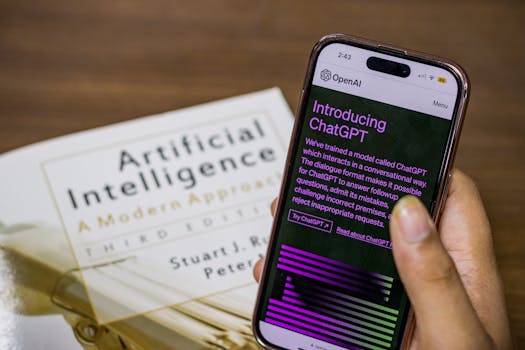
AI is not just a trend; it’s a game-changer for the animation industry. Here’s why:
- Efficiency: AI tools reduce production time, allowing animators to take on more projects.
- Innovation: AI enables new forms of storytelling, from interactive animations to personalized content.
- Accessibility: Free AI tools lower the barrier to entry, making animation accessible to hobbyists and professionals alike.
As AI continues to evolve, we can expect even more groundbreaking tools and techniques that will push the boundaries of what’s possible in animation.
Conclusion
AI for animation is more than just a technological advancement; it’s a creative partner that amplifies your vision. Whether you’re looking to automate tedious tasks, experiment with new styles, or bring your characters to life with unprecedented realism, there’s an AI tool out there for you.
The five tools we’ve explored—Runway ML, DeepAnimation, Adobe Anime, Kaiber, and Blender with AI add-ons—are just the tip of the iceberg. Each offers unique features and capabilities to suit different needs and skill levels.
So, what are you waiting for? Dive into the world of AI-powered animation and see how it can transform your projects. Leave a comment below to share your experiences with these tools or suggest others you’ve found useful. And don’t forget to follow for more AI tools and tips to keep your creativity flowing!
Happy animating! 🎨