AI for Virtual Assistance
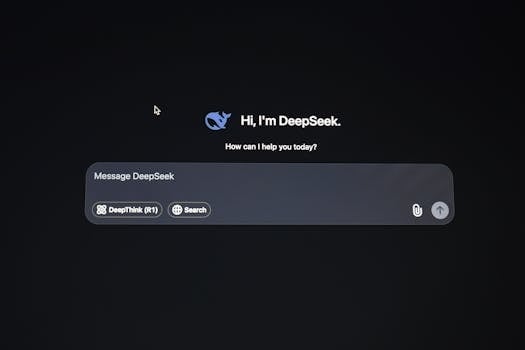
AI for Virtual Assistance: Revolutionizing Daily Tasks
In today's fast-paced world, time is a precious commodity. Whether you're a busy professional, a student juggling multiple deadlines, or a homemaker managing a household, having an extra pair of hands (or brains) can make all the difference. Enter AI for Virtual Assistance – a game-changing technology that's transforming the way we handle daily tasks. From scheduling appointments to answering queries, AI-powered virtual assistants are becoming indispensable allies in our quest for efficiency and productivity.
In this blog post, we'll explore the world of AI virtual assistants, their applications, and how they're reshaping our lives. We'll also introduce you to five free AI tools that can help you experience the power of virtual assistance firsthand.
What is AI for Virtual Assistance?
AI for Virtual Assistance refers to the use of artificial intelligence technologies to create digital assistants that can perform tasks, answer questions, and provide information on behalf of users. These assistants leverage natural language processing (NLP), machine learning (ML), and other AI techniques to understand and respond to human queries in a conversational manner.
Virtual assistants can be found in various forms, such as:
- Smart speakers (e.g., Amazon Echo, Google Home)
- Chatbots on websites and messaging platforms
- Mobile apps (e.g., Siri, Google Assistant)
- Desktop applications for task automation
The primary goal of AI virtual assistants is to simplify complex tasks, save time, and enhance user experiences by providing personalized and context-aware assistance.
How AI Virtual Assistants Work
At the core of AI virtual assistants are sophisticated algorithms that enable them to:
- Understand user queries: Using NLP, assistants analyze text or speech inputs to identify intent and context.
- Process information: They access vast databases, search engines, or APIs to gather relevant data.
- Generate responses: Based on the processed information, assistants formulate answers or take actions.
- Learn and adapt: ML algorithms enable assistants to improve their performance over time by learning from user interactions.
This process allows virtual assistants to handle a wide range of tasks, from setting reminders to providing detailed explanations on complex topics.
Applications of AI Virtual Assistance
The versatility of AI virtual assistants makes them suitable for numerous applications across various domains:
- Personal Productivity: Scheduling appointments, managing to-do lists, and setting reminders.
- Customer Service: Handling FAQs, providing product recommendations, and resolving basic issues.
- Education: Offering personalized learning experiences, answering student queries, and providing study materials.
- Healthcare: Assisting with appointment booking, medication reminders, and basic health advice.
- E-commerce: Enhancing shopping experiences through product searches, recommendations, and order tracking.
5 Free AI Tools for Virtual Assistance
To help you get started with AI virtual assistance, here are five free tools that offer powerful features and capabilities:
1. Google Assistant
Description: Google Assistant is a widely-used AI-powered virtual assistant available on Android devices, smart speakers, and other platforms.
Features:
- Voice and text-based interactions
- Integration with Google services (Calendar, Maps, Gmail, etc.)
- Smart home device control
- Personalized recommendations and reminders
Pros:
- Seamless integration with Google ecosystem
- Highly accurate voice recognition
- Wide range of supported languages
Cons:
- Requires a Google account
- Limited offline functionality
2. Microsoft Power Automate (Free Tier)
Description: Power Automate is a workflow automation tool that enables users to create automated tasks and processes without coding.

Features:
- Pre-built templates for common tasks
- Integration with Microsoft 365, Google Workspace, and other apps
- Custom workflow creation
- Mobile app for on-the-go automation
Pros:
- User-friendly interface
- Extensive integration options
- Free tier with generous limits
Cons:
- Advanced features require a paid subscription
- Steeper learning curve for complex workflows
3. Tidio
Description: Tidio is a chatbot platform designed for customer service and lead generation on websites.
Features:
- AI-powered chatbot with NLP capabilities
- Live chat functionality
- Integration with popular e-commerce platforms
- Visitor tracking and analytics
Pros:
- Easy setup and customization
- Multichannel support (email, Messenger, etc.)
- Free plan with unlimited chats
Cons:
- Limited AI capabilities in the free plan
- Advanced features require a paid subscription
4. Otter.ai
Description: Otter.ai is an AI-powered transcription service that converts speech to text in real-time.
Features:
- Real-time transcription for meetings and interviews
- Speaker identification and timestamping
- Integration with Zoom, Google Meet, and other platforms
- Searchable transcripts and summaries

Pros:
- High transcription accuracy
- User-friendly interface
- Free plan with 600 minutes of transcription per month
Cons:
- Limited editing capabilities in the free plan
- Requires a stable internet connection
5. Replika
Description: Replika is an AI-powered chatbot designed to provide emotional support and companionship.
Features:
- Personalized conversations based on user preferences
- Mood tracking and mental health support
- Customizable avatar and personality
- Daily check-ins and motivational messages
Pros:
- Empathetic and non-judgmental interactions
- Helps reduce stress and anxiety
- Free plan with basic features
Cons:
- Limited functionality compared to specialized mental health apps
- May not replace professional therapy
The Future of AI Virtual Assistance
As AI technology continues to evolve, we can expect virtual assistants to become even more sophisticated and integrated into our daily lives. Some emerging trends include:
- Multimodal interactions: Combining voice, text, and visual inputs for more natural conversations.
- Emotion recognition: Enabling assistants to detect and respond to user emotions.
- Proactive assistance: Anticipating user needs and providing suggestions before being asked.
- Improved personalization: Leveraging user data to offer highly tailored experiences.
These advancements will further enhance the capabilities of AI virtual assistants, making them indispensable tools for individuals and businesses alike.
Conclusion
AI for Virtual Assistance is no longer a futuristic concept – it's a reality that's transforming the way we live and work. With the tools and applications available today, anyone can experience the benefits of having a personal assistant at their fingertips.
Whether you're looking to boost productivity, enhance customer service, or simply make your daily routine more efficient, AI virtual assistants offer a wealth of possibilities. We encourage you to explore the five free tools mentioned in this post and discover how they can simplify your life.
Follow us for more AI tools and insights, and don't hesitate to leave a comment sharing your experiences with AI virtual assistants. Together, let's embrace the future of assistance!